The Path panel
Path bends a text layer onto a ready shape or onto a guide you drew yourself, and everything on it stays editable text. Typing on a path comes with the Pro and Studio plans, and the pricing section on the home page lists what each plan includes.
Shape
Shape offers seven: Straight, Circle, Arc, Wave, S-curve, Ribbon, and On a guide. Straight puts the text back on its ordinary line.
On a guide needs a guide drawn first in the Guides panel, and then either the Type on path tool or this tile.
Before a text layer is selected, the panel asks you to select a text layer to give it a path.
Text that is wrapped into lines cannot follow a path at the same time. Turn Wrap into lines off in the Properties panel first.
Reset to default, at the top of the settings, puts the shape back to its starting values.
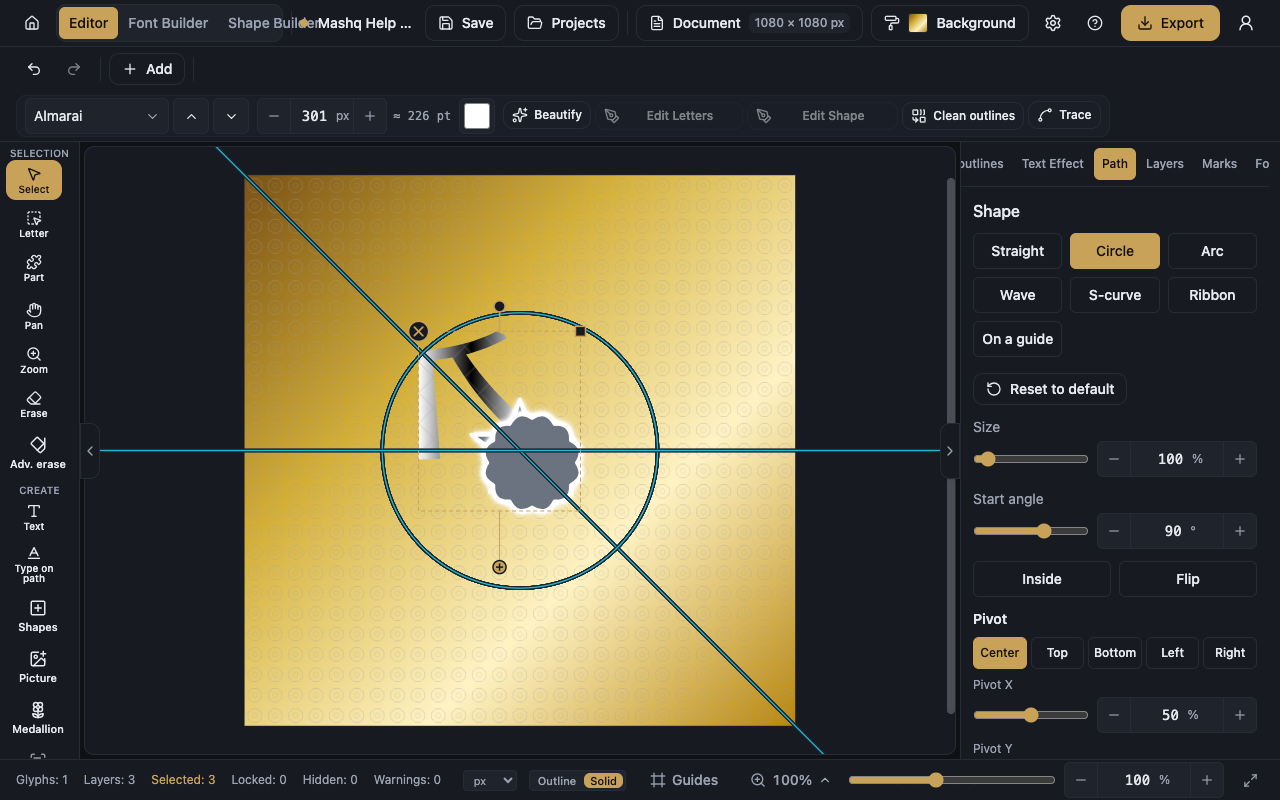
Circle and Arc
Sweep belongs to the Arc alone. It is how much of the circle the arc covers, and it never reaches a full circle.
Size widens or tightens the circle, moving the text further from its centre or closer in.
Start angle decides where the text begins on the circle, or where the apex of the arc sits.
Inside flips the text onto the inner side of the curve, and Flip reverses the direction it runs.
Wave, S-curve, and Ribbon
Wave and Ribbon each have Height, Waves, and Phase: how tall the wave is, how many waves run along the text, and where the wave starts.
S-curve has Height only, which is how far the two sides bend, and a negative value turns the curve the other way.
On a guide
Guide is the list you pick the guide from, and it appears once the project has more than one.
Size is the text's size on the guide, in pixels. Start is where it begins along the guide's length.
Spacing opens up the letters along the path, and Word spacing opens up the words alone.
Offset (in / out) lifts the text off the guide's line, to its inner or outer side.
Flip H mirrors the text on its own baseline, and Flip V moves it to the other side of the path. Both together give upright text on the inner side of a curve.
Font pack here changes the path text's font while you watch it on the path, with Previous font and Next font beside it. A system or locked font shows its badge, and a locked one cannot be newly chosen.
Pivot and Transform
Pivot is the point the whole composition turns about. It has five ready positions, Center, Top, Bottom, Left, and Right, plus Pivot X and Pivot Y.
Transform holds Rotate, which turns the composition about the pivot, and Reset transform, which clears it.
Neither section appears with On a guide, because there the text's placement and orientation come from the guide itself, and a free rotation would take it off its path.