Medallion and symmetry
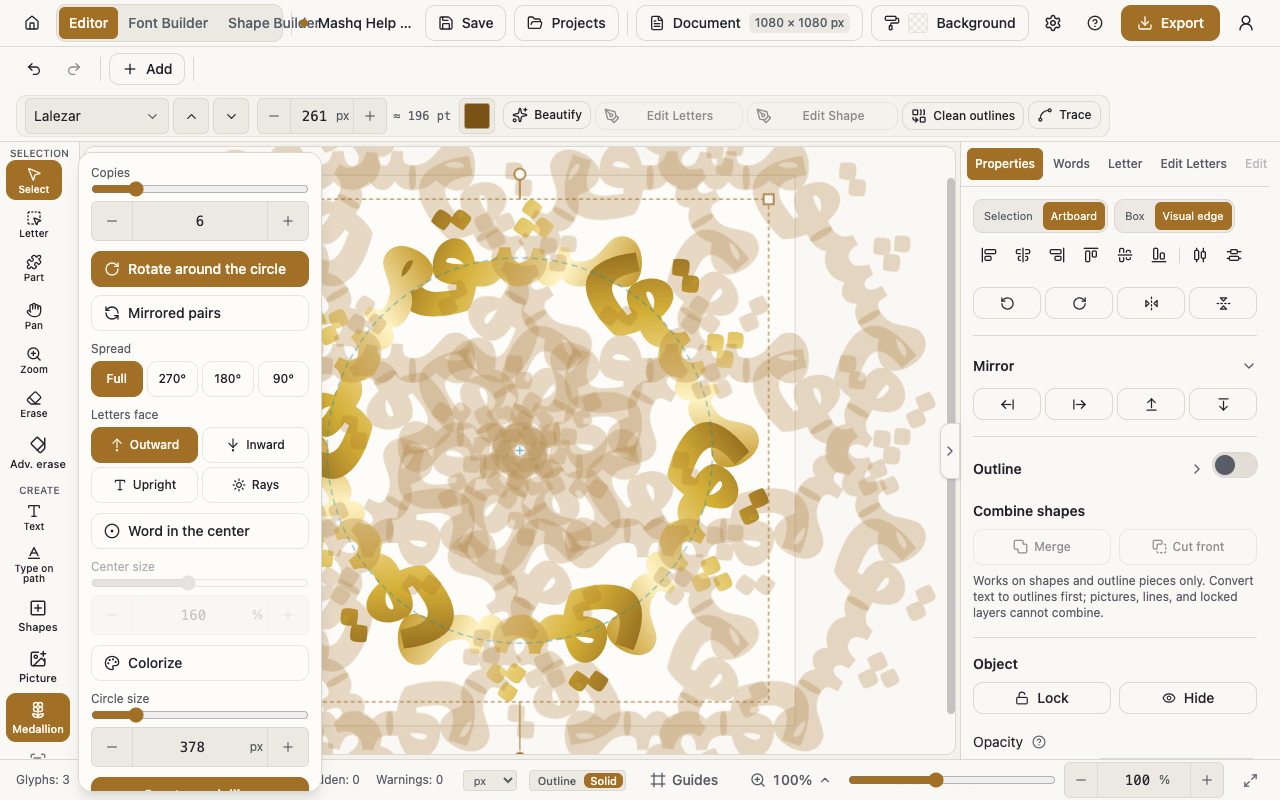
The Medallion tool takes one word, one shape or one group and builds a circular ornament or a facing composition out of it. Mirror is simpler: it reflects whatever is selected and gives you a muthanna in one step.
Building a medallion
A medallion starts from a single item, so select one word, one shape or one group on the canvas before you open the tool.
What comes out is a normal group, so everything inside it stays editable afterwards.
- Select the word, shape or group.
- Open the Medallion tool.
- Set Copies.
- Choose Rotate around the circle or Mirrored pairs.
- Press Create medallion.
A ring or a pair
Rotate around the circle sends every copy flowing around the ring, which is the classic medallion.
Mirrored pairs makes the copies face each other in true symmetry, which is the classic muthanna emblem.
Which way the letters turn
Letters face decides how each copy is turned: Outward, Inward, Upright or Rays.
Try all four on the same composition, because they read very differently.
The geometry of the ring
Spread sets how much of the circle the copies take up, and it has a Full setting for the complete turn. Circle size widens or tightens the ring.
Word in the center puts an item in the heart of the ornament, and Center size sets how big it is.
Colouring the ornament
Colorize recolours the whole composition from one place, and Opacity fades the result.
Palette holds nine sets: Original colors, Gold & lapis, Tazhib, Iznik, Andalus, Emerald & gold, Royal, Sunset and Ocean.
Mirror
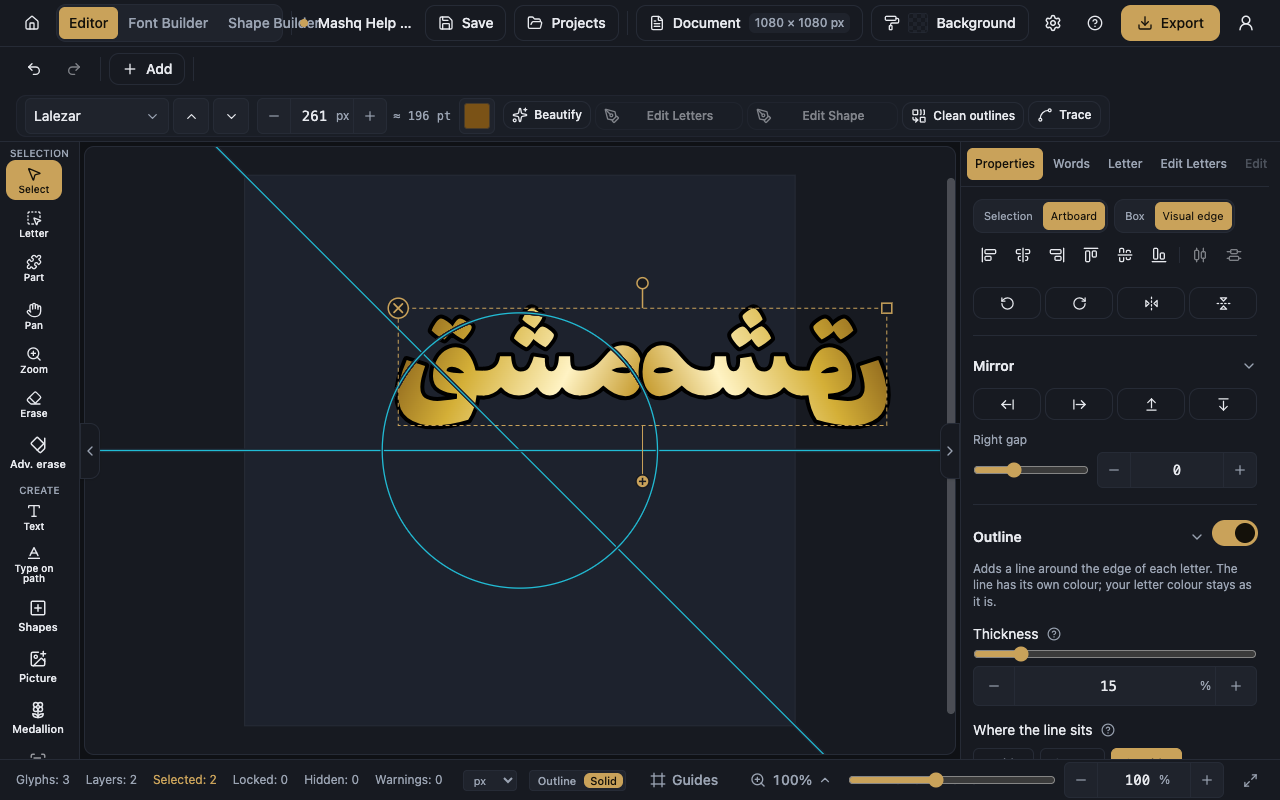
The Mirror section of the Properties panel duplicates the selection and reflects it in one step: Mirror left, Mirror right, Mirror up or Mirror down.
Each direction has its own gap, Left gap, Right gap, Up gap and Down gap, which is the distance between the original and its reflection.
To flip the item itself without duplicating it, use Flip horizontally or Flip vertically in the quick actions.
Worth knowing
The Medallion tool is on the Pro and Studio plans. Mirror and the horizontal and vertical flips are open to everyone. The Pricing section on the home page shows what each plan includes today.
If nothing suitable is selected, the tool asks you to select one word, one shape or one group first.
If you only want the ornamental shape and no text, it is in the Shapes menu as Medallion and you can insert it directly.