Text effects
Text Effect dresses the letters themselves: gold, a lit edge, a hammered surface, real depth. The word stays a word underneath, and turning the effect off brings it straight back.
Turning an effect on
An effect belongs to one text layer and leaves every other layer alone.
- Select the text layer.
- Open the Text Effect tab in the side panel.
- Pick what you want from the Look list.
- Switch Use this effect on.
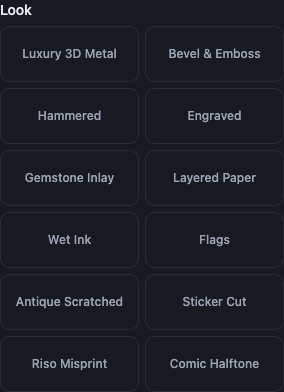
The fourteen looks
The looks are Luxury 3D Metal, Bevel & Emboss, Hammered, Engraved, Gemstone Inlay, Layered Paper, Wet Ink, Flags, Antique Scratched, Sticker Cut, Riso Misprint, Comic Halftone, Chiselled Gold and Polished Chrome.
Each one arrives already tuned, so the result appears as soon as you pick it. Reset look puts it back to how it started after you have moved the dials.
Chiselled Gold is a chiselled, textured gold face with a warm lit edge, an optional aged patina, and its own Sparks: small glints of light scattered along the lit edges. Polished Chrome is a mirror horizon, a bright sky over a dark ground, in steel by default rather than gold.
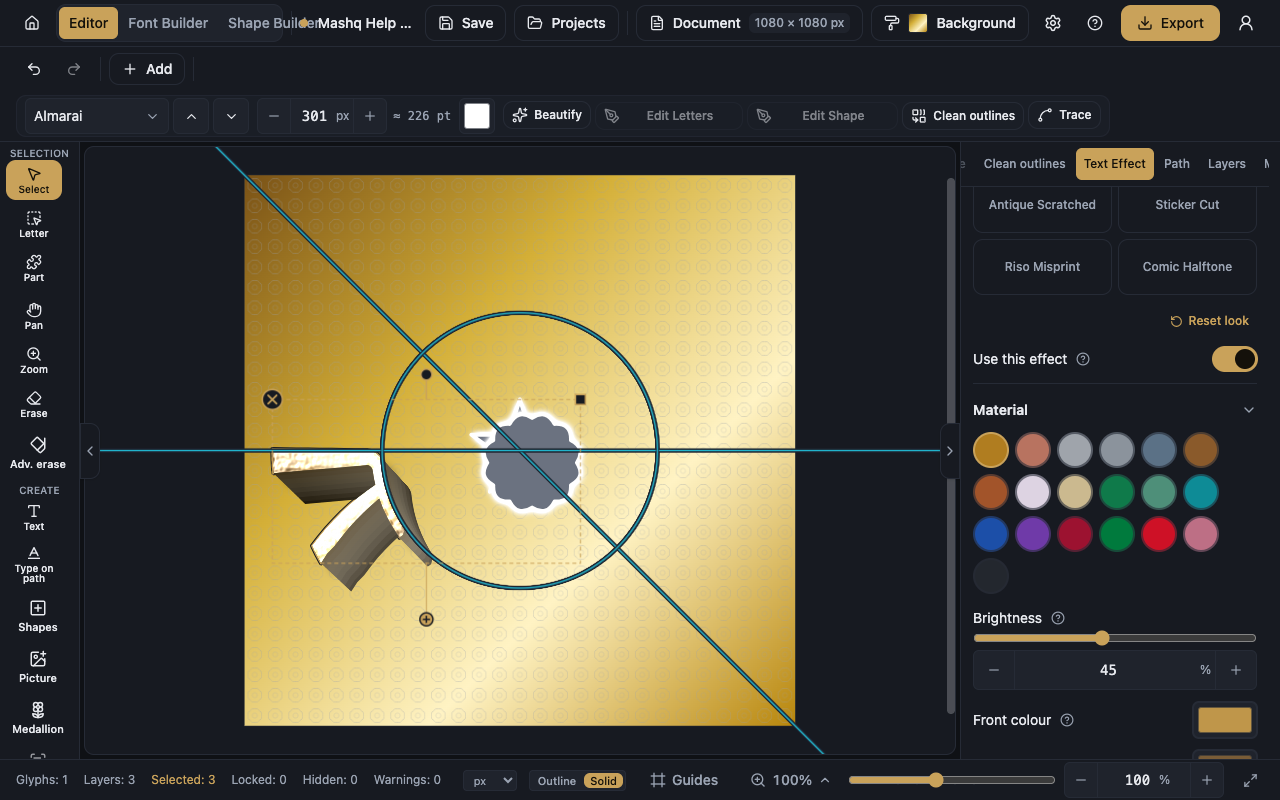
Material
Material decides what the letters are made of: metals such as Gold, Rose gold, Platinum, Silver, Steel, Bronze and Copper, stones such as Emerald, Jade, Turquoise, Sapphire, Amethyst and Ruby, and Pearl, Ivory, Obsidian and Blush.
There is also Your own colour when nothing in the list fits, and the flag colours for the look that uses them.
The sections of dials
The panel is split into sections, and which ones appear depends on the look you chose. The near-constant sections are Material, Depth, Surface, Light, Motion, Colours, Shadow and Glow.
Some sections belong to one look only: The cut for Sticker Cut, Printing for Riso Misprint, The dot screen for Comic Halftone, Stars for Flags, Ink for Wet Ink, and Sparks for Chiselled Gold.
Depth is how far the letters stand up off the page, and at zero they lie flat. Light decides where the light comes from, and everything lit turns with it together. The Colours section lets you override any colour the material gives you.
The moving shine
Moving shine sends a bright band travelling across the letters over and over. You set how fast it goes, how wide it is, and whether it goes back and forth.
The movement plays on screen and in an SVG file. A PNG, JPG, WebP or PDF holds one still picture, so it catches the band wherever it happened to be.
What export does with an effect
A PDF carrying an effect is saved as one high-resolution picture inside the page, so it looks exactly like the screen, but its text stops being selectable vector artwork. There is no way around it: a lit metal surface cannot be drawn with vectors.
A PDF with no effect is unchanged, still sharp and still vector.
Worth knowing
Pictures cannot take an effect. A picture is an image, with no outline to light or extrude.
The effect sits over the word without replacing it, so switching it off restores the plain word however long you spent on the dials.