The Clean outlines panel
Clean outlines paints the selected word as one shape, so the lines where its letters cross stop showing. The word stays a word underneath, and turning the switch off brings the separate letters back.
The switch
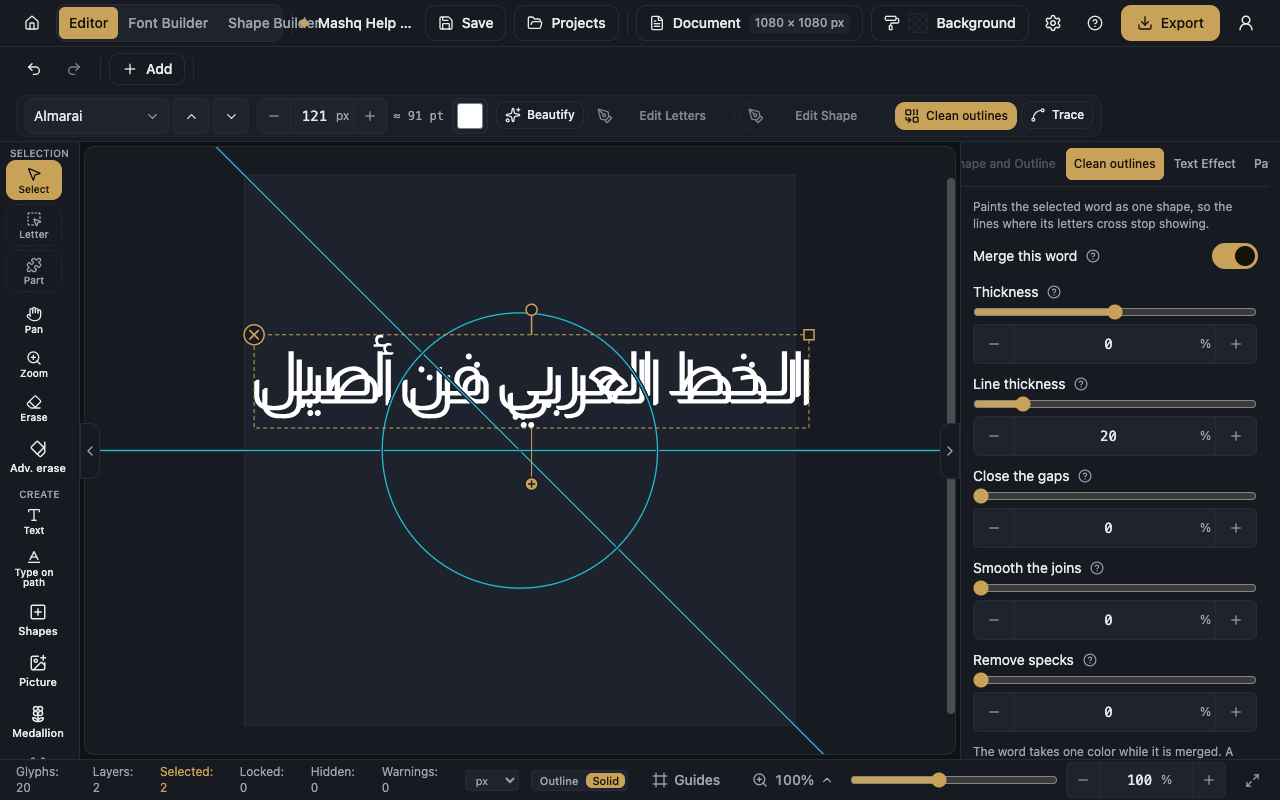
Merge this word is the one switch that turns the melt on. After it, two letters that cross read as a single stroke.
While a word is merged it takes one colour. A colour you had set on one letter comes back when you turn the merge off.
The Letter and Part tools are off while the word is merged, because a single shape has nothing finer inside it. Turn the merge off to edit one letter.
The four sliders
Thickness makes the whole word bolder or lighter without changing the font.
Line thickness sets how thick the line drawn around the merged word is. You see it while the word is hollow, and nothing changes while the word is filled in.
Close the gaps pulls letters that come close but never touch into one shape.
Smooth the joins rounds the corner where two letters meet, so it flows instead of showing a notch.
Remove specks drops the tiny crumbs the merge leaves behind. Push it too far and a real dot goes with them.
Reset sliders puts the values back without switching the merge off.
Convert to shape
Convert to shape keeps the merged look as a real shape you can fill and colour like any other.
After converting, the text is no longer text, though one undo takes it back.
If you are inside a point-editing session on a letter, press Done in the Edit Letters panel first, then convert.
When the panel is unavailable
A locked or hidden layer cannot be merged. Turn the lock off or show it in the Layers panel, then come back.
A font that draws its letters as thin pen lines has nothing to merge, so pick a font with filled letters.
The merge works on text and on outlines, and not on drawn shapes or pictures.