The Edit Font Shape and Outline panel
This panel edits the points of a baked outline: a font shape, a merged or traced outline, or a word converted to a shape. The tools are the same ones the Edit Letters panel uses; what differs is where the finished edit can go.
What it works on
Select a font shape, a merged or traced outline, or a word converted to a shape. While the selection is something else, the tab tells you what it needs instead.
Edit starts the session and Done ends it. While it runs you drag the points on the canvas.
A locked or hidden layer does not open for editing. Unlock it or show it in the Layers panel, then come back.
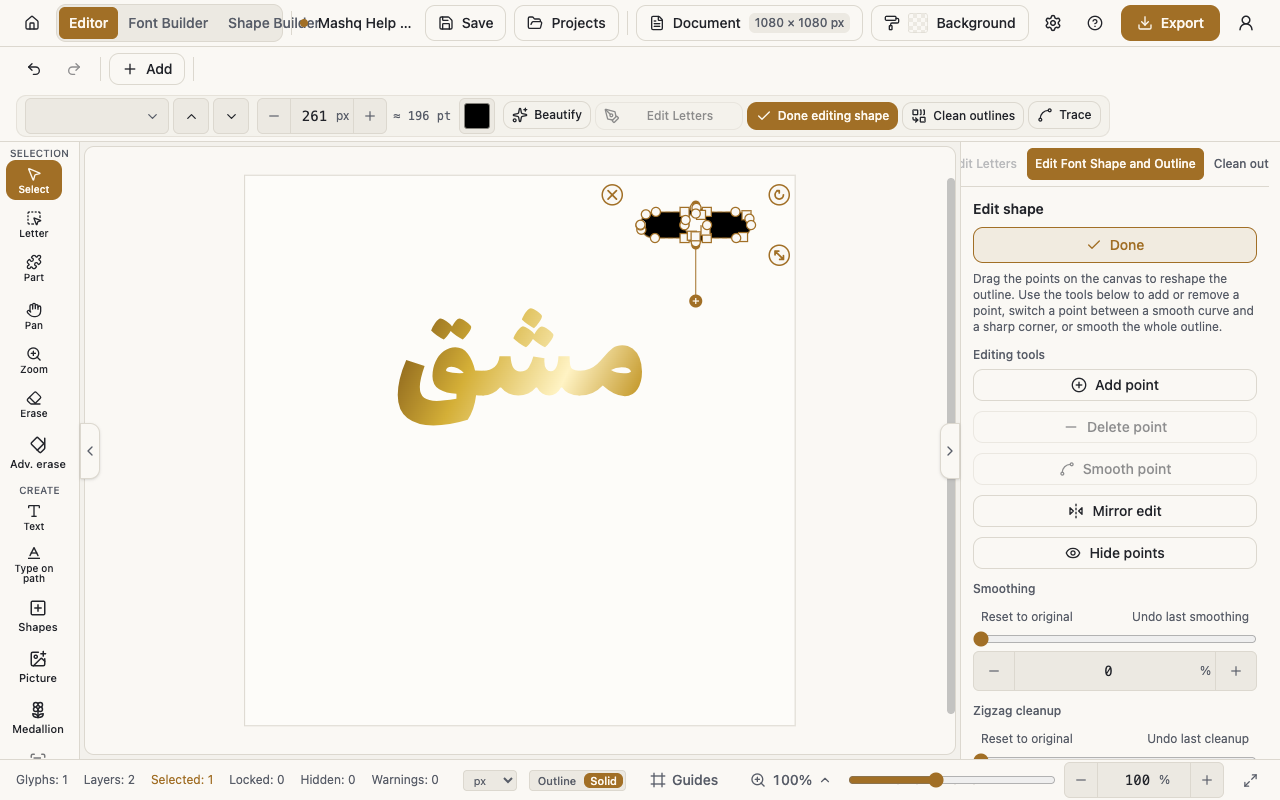
Editing tools
Add point turns on add-point mode, and then you click the outline to insert a point.
Delete point removes the selected point and stays off until a point is selected.
Smooth point and Sharp corner switch the selected point between a curve and a corner.
Mirror edit moves a point and its twin across the centre together, which earns its keep on symmetric ornament.
Hide points shows just the shape while you work, until you press it again.
Smoothing, Zigzag cleanup, and Pen weight
Smoothing smooths the whole outline, and selecting three or more points narrows it to Smoothing (selected points). Undo last smoothing and Reset to original sit with it.
Zigzag cleanup is the right tool for outlines traced from a picture: it takes the fine zigzag off the edges while keeping the shape. Undo last cleanup sits beside it.
Pen weight thickens or thins the outline and rebuilds its points. It is off while Mirror edit is on.
This shape
A chip reads Modified or Not modified, and Reset beside it puts the outline back to how it was before you edited it.
Save to shape pushes the edited outline into the shapes font the piece came from, so it changes for every future insert. A confirmation appears first.
When you save you choose Replace the shape, which puts it in place of the original, or Add as another shape, which sets it beside the original under a name that marks it as edited.
The button is off when the piece is not from a shapes font at all, or when it is but has not been edited yet. The tooltip says which of the two it is.
This panel carries no Anchors and no Save to font. Those belong to a font's letters, in the Edit Letters panel.