Arabic calligraphy
Interlacing letters
Interlacing is what makes a line of Arabic calligraphy read as one woven piece rather than letters standing in a row. Where two strokes cross, one passes over and the other under, and the calligrapher decides that at every crossing separately. Mashq lets you make the same decision on screen, one crossing at a time.
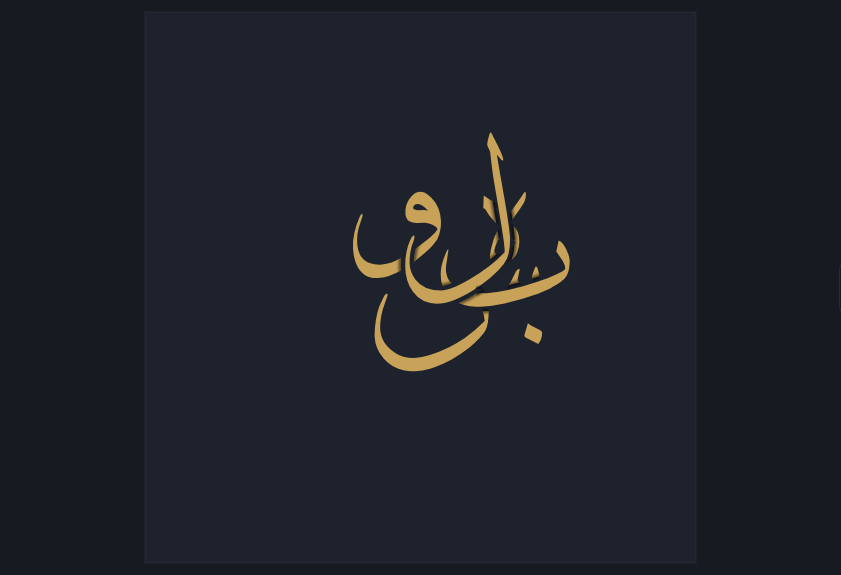
What interlacing is
In a composed piece the strokes do not stay out of each other's way. A descender falls across the stroke below it, a lam rides over a baa, and a long sweep passes through two or three strokes on its way down. At each of those meetings the calligrapher decides which stroke is in front, and cuts the one behind so the eye reads it running underneath. That decision is not decoration: it is what tells the reader where one stroke ends and the next begins, and it is why a dense Thuluth composition stays legible instead of collapsing into a tangle.
Where it comes from
The habit is old and it belongs to the scripts built for display rather than for reading. Thuluth composes upward and its letters climb over one another; Diwani packs its words so tightly that the Ottoman chancery relied on the tangle itself to make a document hard to forge; the muthanna mirrors a phrase against itself so the two halves interlace down the middle. In every one of them the crossings are worked out by hand, stroke by stroke, and a piece is judged partly on how cleanly they are resolved.
How you do it here
Pick the Weave tool, bring the pointer over a place where two strokes cross, and it lights up. Click it, and the stroke that was behind comes to the front while a small space opens in the one now behind. Every crossing is its own decision, so the same two letters can swap from one meeting to the next, which is exactly what layers cannot do. There is nothing to prepare and no order to work in: lay the letters however you like, and press once to weave every crossing at once when you would rather not do them by hand. The cut can be widened or closed to nothing, and a fine shade along it makes the crossing read as depth. Nothing is destroyed either. Your letters, your text and every edit stay as they are, and only what is painted changes, so the piece is still fully editable afterwards and the weave follows it into every export.
Weave your own
Open the editor, lay two letters across each other, and decide the crossing yourself.